Top Products

.jpg?updatedAt=1779712641147)
If you've been looking for a new laptop, you've probably run into the same wall I did. Every machine on the shelf now calls itself an AI laptop.
Open any product page and you see NPU numbers, AI TOPS, Copilot+ badges, RTX graphics, Neural Engines and bold claims about running AI locally.
It's a lot. And most of it, honestly, won't help you choose; it just adds to the stress of an already expensive purchase.
So here's the one truth I keep coming back to: the laptop with the biggest AI number on the box is rarely the best laptop for your actual work.
Someone learning Python with small models needs a completely different machine from someone training models, writing CUDA code, running local LLMs or editing AI-heavy video.
That sounds obvious, but almost every "best AI laptops" list ignores it. They just rank expensive machines and call it a day.
This guide works the other way around. We start with what you actually want to do, figure out the hardware that job truly needs, and only then talk laptops. Every recommendation runs through one consistent framework: GPU capability, memory capacity, system RAM, software ecosystem, sustained performance, price/value and portability.
Configuration and pricing: Always verify the exact configuration before buying. Prices in this guide are India street prices in ₹; the same configurations are sold globally, so the advice holds wherever you are buying.
What is the best AI laptop in 2026?
The quick answer is there isn't one, and anyone who gives you a single answer is guessing. But there are three clear starting points depending on what matters to you.
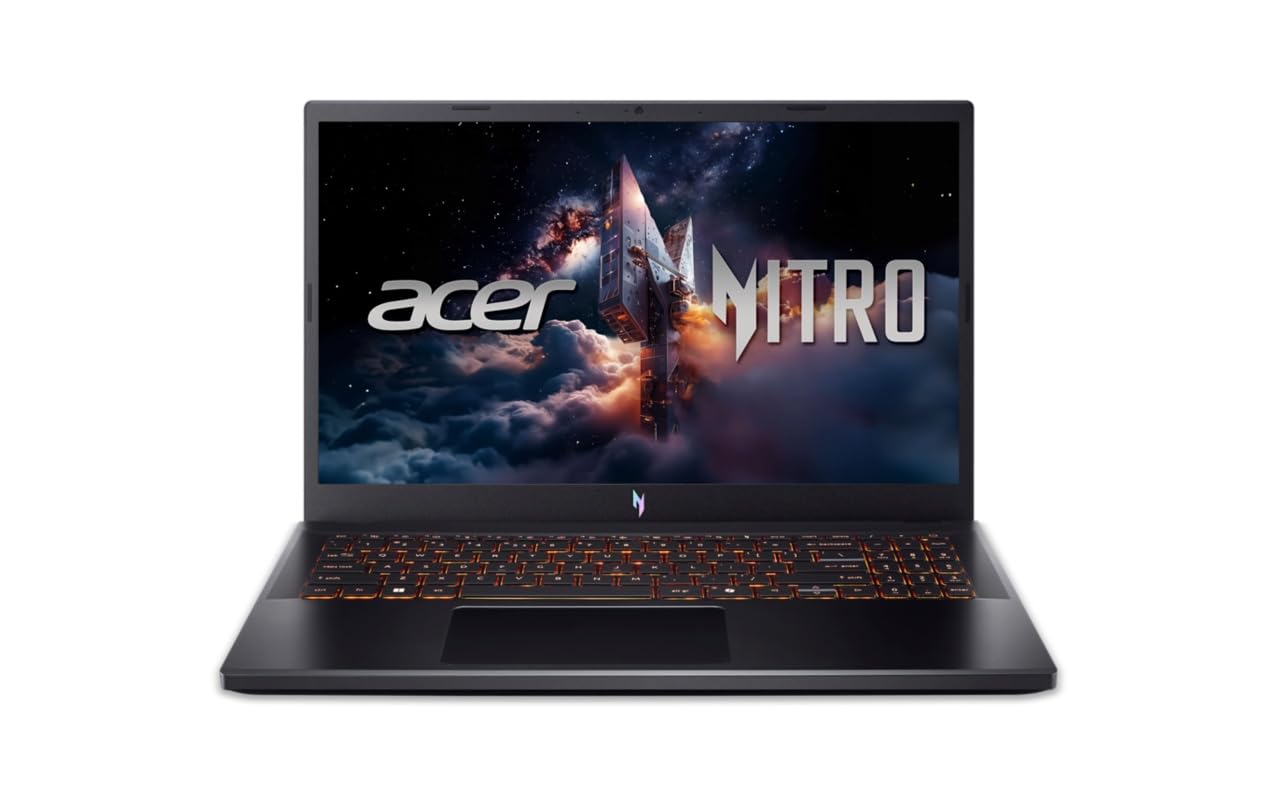
If your work revolves around CUDA, machine learning development or GPU-accelerated tools, start with an NVIDIA RTX laptop. CUDA is still the language most AI software speaks, and NVIDIA's current RTX 50-series family (the RTX 5050 through 5090) spans 8GB to 24GB of GDDR7 memory. In India that ladder runs from budget CUDA machines like the Acer Nitro V 15 (RTX 4050, around ₹75,000) up to RTX 5090 powerhouses such as the Lenovo Legion Pro 7i Gen 10 (around ₹5 lakh).
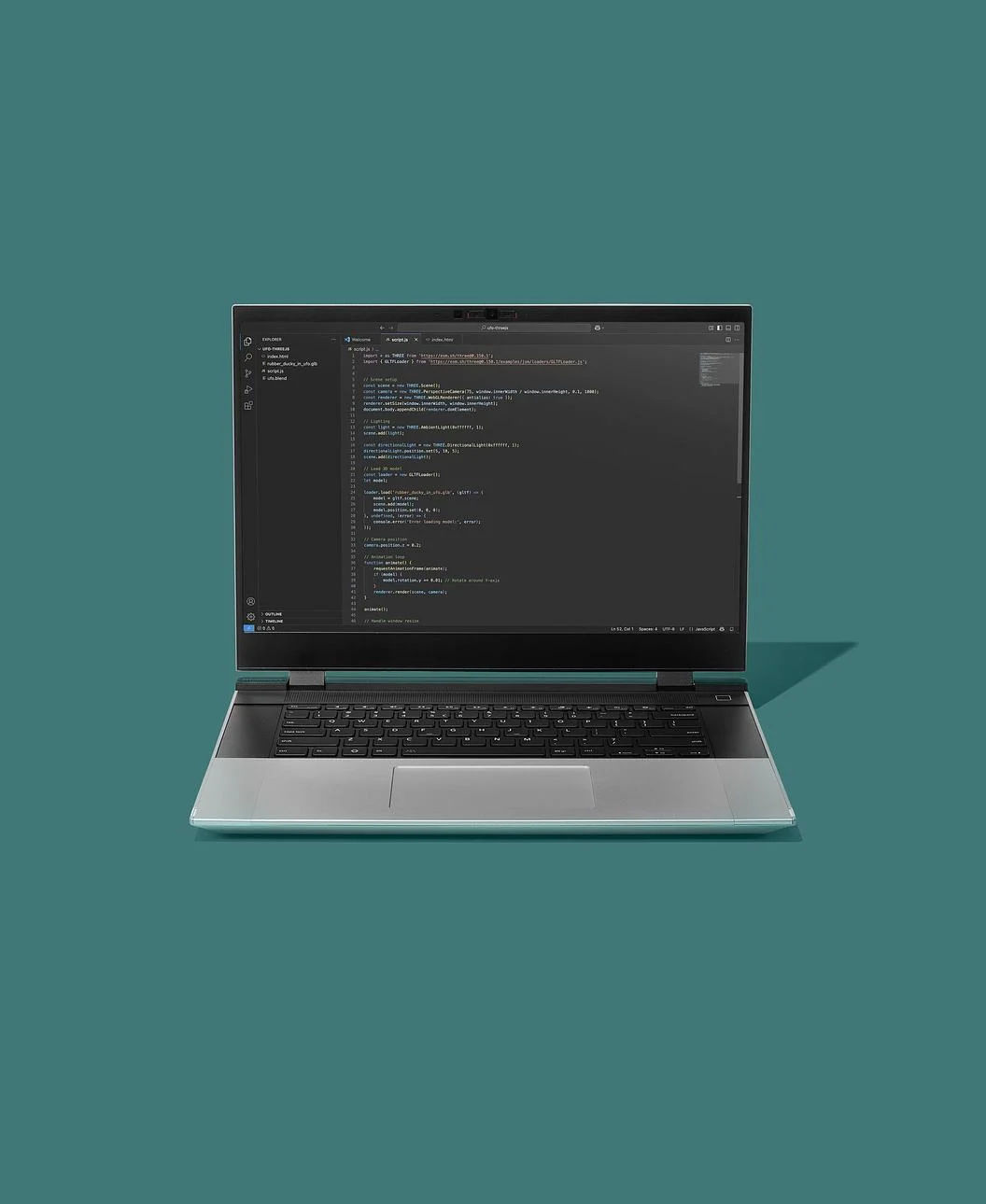
If what you really want is a huge pool of memory in a machine you can still carry, look hard at AMD's Ryzen AI Max+. The Ryzen AI Max+ 395 can be configured with up to 128GB of LPDDR5x, plus a Radeon 8060S integrated GPU and a 50-TOPS NPU. The Framework Laptop 16, upgradeable to 128GB of RAM, is the most accessible way to that approach (around ₹1.65 lakh as configured).
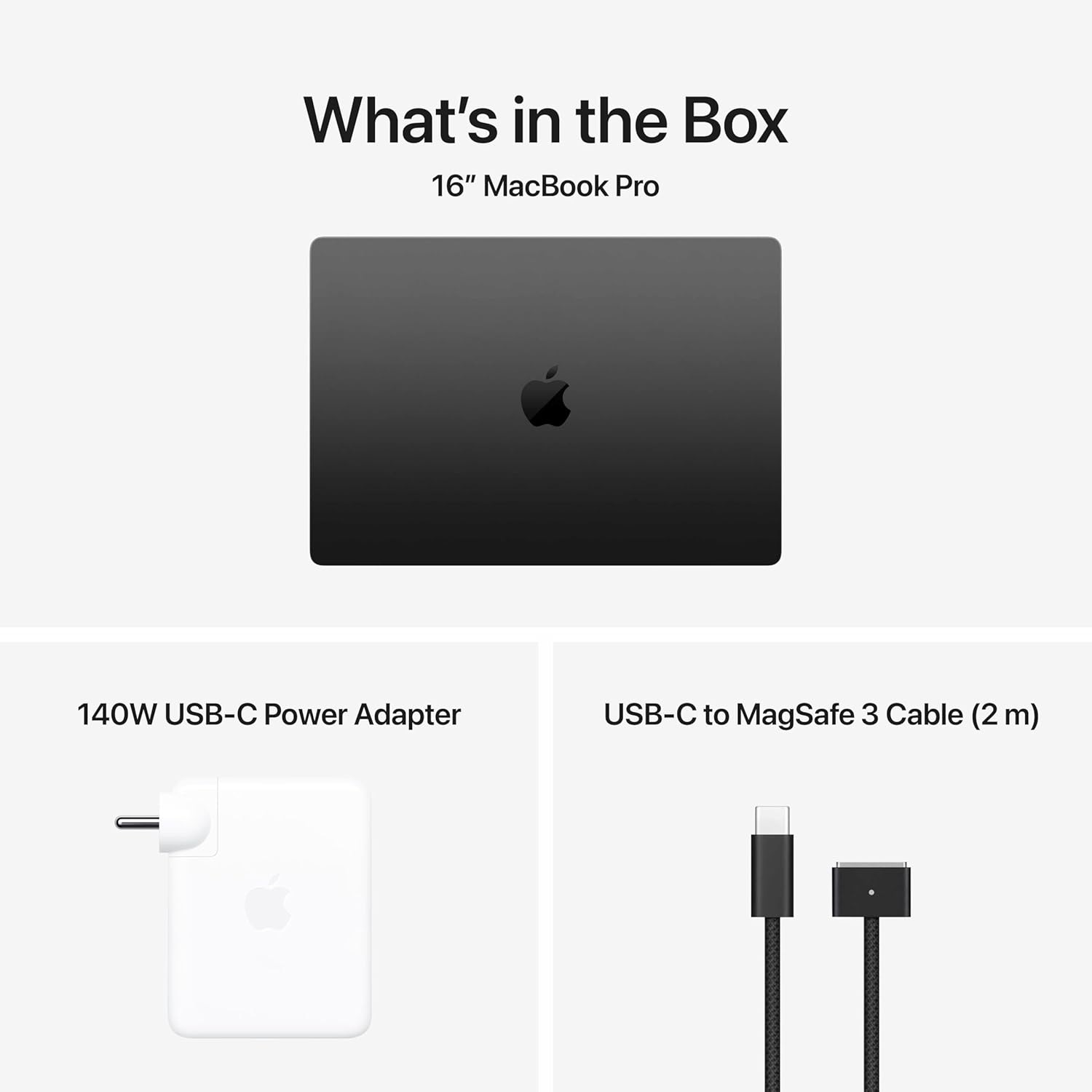
And if you already live in the Mac World, the MacBook Pro with M5 Pro or M5 Max offers up to 128GB of unified memory and serious memory bandwidth. Apple lists 614GB/s on the M5 Max's 40-core GPU configuration. In India, the MacBook Pro 16 M5 Max tested here costs about ₹3.2 lakh, while the far more affordable MacBook Air M4 (₹1,31,900) covers cloud-first AI work well.
These are three genuinely different philosophies of AI computing, though. Before you spend money on any of them, let's work out which one fits you.
Find Out What do you actually mean by "AI laptop"?
This is where most buyers get confused and most buying guides miss the point: AI laptop has come to mean half a dozen different things.
You might mean a laptop with an NPU for Windows AI features, or one for chatting with AI assistants, professional-grade coding and machine learning work, CUDA and deep-learning frameworks, running local LLMs, Stable Diffusion-style image generation, AI-assisted video editing, research and data science, or simply experimenting with models on the weekend.
Those jobs sound similar in a headline but place wildly different demands on hardware.
Take the NPU. It's genuinely good at what it does: small, efficient AI tasks running on the device itself, which is why Microsoft's Copilot+ programme asks for an NPU above 40 TOPS. But if your real goal is CUDA-based machine learning, the NPU shouldn't even be in your top three specifications. Your GPU, VRAM, system memory and software compatibility matter far more.
Hold onto that distinction. It's the foundation of everything below.
The simplest way to choose an AI laptop
Before we look at any hardware, answer five questions for yourself. They take two minutes and will save you from expensive mistakes.
1. What will you actually run?
Pick the closest match. Be honest with yourself, not aspirational:
A. Python, coding and AI-assisted productivity
B. Machine learning development
C. CUDA / PyTorch / deep learning
D. Local LLMs
E. AI image generation
F. AI video creation/editing
G. A mixture of everything
2. How much memory do you need?
For ordinary productivity, 16GB still gets by. For serious AI development, 32GB is where I'd want to start. For heavier local-model work, 64GB or more stops being a luxury, and some platforms go much further, like the Ryzen AI Max+ 395's 128GB configurations.
3. Do you need CUDA?
If yes, your choices just got much narrower, and simpler. NVIDIA's RTX laptop GPUs are essentially the only game in town, with Tensor Cores and dedicated AI hardware on top. The current 50-series family is built on NVIDIA's Blackwell architecture.
4. Do you need to run models locally?
Then flip your priorities: memory capacity becomes the spec you're buying, not the speed. A slightly slower machine with enough memory to hold your model beats a rocket that can't fit it.
5. Are you buying a workstation or a laptop?
Obvious question, real consequences. Laptop GPUs live and die by power and cooling, and two laptops with the identical GPU name can behave completely differently. NVIDIA itself lists power ranges per chip: the RTX 5070 Ti Laptop runs anywhere from 60–115W, the RTX 5070 from 50–100W. A maker can tune the same chip quiet and cool or flat-out and hot, and the performance gap is real.
So: never judge an AI laptop by the GPU name alone.
Our AI laptop scoring system
To keep recommendations consistent across this site, we score every candidate on a 100-point framework:
| Criterion | Weight |
|---|---|
| GPU compute | 25 |
| Memory capacity | 20 |
| System RAM | 15 |
| Software ecosystem | 15 |
| Sustained performance | 10 |
| Price/value | 10 |
| Portability | 5 |
| Total | 100 |
But a good score doesn't get a laptop recommended automatically. First we check whether the configuration you can actually buy makes sense: the exact CPU, GPU, VRAM, RAM, storage, GPU power setting, software support, current price and your intended workload. Because the painful truth about spec sheets is this: the store page is what you're actually getting, and the same laptop family routinely contains configurations that are brilliant for AI and others that aren't worth the box they ship in.
The hardware that actually matters
Let's see the five things that genuinely decide your experience.
1. GPU: the starting point for serious AI work
If you're doing serious local AI, the GPU is where the conversation starts. NVIDIA's current laptop range runs from the RTX 5050 up through the 5060, 5070, 5070 Ti, 5080 and 5090, and the official specs show big gaps in CUDA cores, AI TOPS, memory and bandwidth across that ladder.
Resist the reflex, though, that the RTX 5090 is automatically the right answer. If your work doesn't need that much compute, you're paying for performance you'll never use. The better buying question is: how much GPU power and memory does my workload actually need?
2. VRAM: the specification AI buyers often underestimate
Here's the easiest way to think about it. GPU speed tells you how quickly the laptop can do AI work. VRAM decides how much of that work fits on the GPU at all. For AI, running out of VRAM is worse than running slowly; if the model doesn't fit, it simply won't run properly.
Per NVIDIA's published specs, the current ladder looks like this: RTX 5050, 5060 and 5070 carry 8GB; the 5070 Ti has 12GB; the 5080 has 16GB; and the 5090 has 24GB. If you're eyeing local LLMs or image generation, those numbers matter more than almost anything else on the page. It's exactly why we refuse to rank laptops on benchmark scores alone.
3. System RAM: don't confuse it with VRAM
Your laptop has system memory. Your GPU has VRAM. They are different things, and no, a laptop with 32GB of RAM and 8GB of VRAM does not secretly have 40GB of GPU memory.
For a general AI-development machine, I'd think of it this way: 16GB is workable for lighter work, 32GB is the comfortable starting point, and 64GB+ becomes genuinely attractive once you're experimenting with serious local models. And if you're buying an expensive machine you expect to keep for years, memory is the last place I'd try to save money.
4. NPU: useful, but don't let the marketing confuse you
NPU stands for Neural Processing Unit. In plain terms, it's a small, power-efficient chip inside the processor that handles lightweight AI tasks: real-time translation, background blur on calls, that family of Windows AI features. Microsoft's Copilot+ label simply means the NPU clears 40 TOPS. That's genuinely useful for everyday use.
But here's the distinction that saves people money: an NPU will not run serious AI workloads for you. Big machine-learning and image-generation jobs need a real discrete GPU. Treat the NPU as a helpful assistant inside the machine, not the machine's entire AI capability.
5. Software ecosystem may matter more than raw hardware
This is the one people discover too late. A laptop can have stunning hardware and still frustrate you daily if the AI tools you need don't run well on it.
For CUDA-focused work, NVIDIA's advantage is structural: CUDA is woven into a huge ecosystem of AI and ML software. That's why an NVIDIA laptop is the safe recommendation if you want CUDA development, PyTorch workflows that depend on it, GPU-accelerated machine learning, or local AI apps with strong NVIDIA support.
None of this makes AMD or Apple bad choices. It means your software requirements should come before the brand of laptop.
NVIDIA vs AMD vs Apple for AI
There's no universal winner here. There are different strengths, and the right one depends entirely on your work.
NVIDIA: The straightforward choice for CUDA
Choose NVIDIA if your priority is CUDA, machine learning development, deep-learning frameworks, local AI apps with strong CUDA support, GPU-heavy generative AI, or simply maximum flexibility across AI tools. The RTX 50-series brings Blackwell architecture, fifth-generation Tensor Cores and dedicated AI hardware. For most AI developers, it remains the easiest recommendation to make.
AMD: particularly interesting when memory capacity matters
AMD's Ryzen AI Max+ plays a different game. The Ryzen AI Max+ 395 can carry up to 128GB of LPDDR5x alongside a Radeon 8060S integrated GPU and a 50-TOPS NPU, which makes these systems fascinating when what you need most is a large pool of memory. Just weigh software compatibility first: if your workflow leans hard on CUDA, the answer may still be NVIDIA.
Apple: Powerful unified-memory machines with a different ecosystem
Apple's M5 Pro and M5 Max MacBook Pros take a third approach: unified memory, up to 128GB of it, moving at up to 614GB/s on the M5 Max 40-core configuration. That makes a high-memory MacBook Pro a genuinely interesting machine for local AI and creative work.
But Apple is not NVIDIA. If your workflow is built around CUDA, know that going in. The right question was not "Is Apple faster?".
It is "Does the software I actually want to use run well on this platform?"
What about local LLMs?
This is where AI laptop shopping gets genuinely interesting, because the buying logic inverts.
Don't start with "what's the fastest laptop?"
Start with: "How large are the models I actually want to run?"
A small model and a large model can need wildly different amounts of memory, and a few other factors quietly move the goalposts:
Quantization: shrinking a model so it uses less memory (with a small quality trade-off)
Context length: how much text the model can "hold in mind" at once
KV cache: extra memory consumed as conversations get longer
GPU memory and system memory: where the model actually lives
Software support and cooling: whether it runs smoothly or throttles
This is why we treat local-LLM laptops as their own category rather than dressing up gaming laptops. To give you a sense of scale: NVIDIA's RTX 5090 Laptop carries 24GB of GDDR7 against the 5080's 16GB, while big unified-memory platforms solve the same problem from a completely different direction.
One nuance worth internalising: more memory does not automatically mean faster responses. But too little memory can stop a model from running at all, and that's the difference that actually matters.
What about AI image generation?
Local image generation is a GPU workout. The things I'd scrutinise, in order: GPU architecture, VRAM, GPU power, cooling, software support, and display quality if you're also editing what you create.
Again, VRAM is the quiet decider, and it is worth being concrete about 2026 realities. Stable Diffusion XL-class pipelines can run on an 8GB card, but they lean heavily on quantisation and offloading tricks to get there. Newer and larger models such as FLUX.1, a 12-billion-parameter model, genuinely want 12GB or more of VRAM to run comfortably. That gap between 8GB and 12-16GB is often the difference between a smooth workflow and constant compromises. Heavier workloads reward every extra gigabyte.
That's exactly why the advice to simply buy the most expensive GPU doesn't help anyone; match the VRAM to the models you actually run.
What about AI video editing?
For creators the equation shifts once more. GPU acceleration matters, but so do display quality, CPU performance, RAM, storage speed, video encoders and decoders, sustained cooling, battery life and portability.
Apple's M5 Pro and M5 Max machines, for instance, pair their CPU/GPU with dedicated media engines, while NVIDIA's RTX 50-series laptops counter with Studio tooling and dedicated video hardware. For a creator, the "best AI laptop" isn't the one with the highest TOPS number. It's the one that makes your entire workflow faster.
How much should you spend?
I'd encourage you to stop asking "what's the best laptop?" and start asking "what's the best configuration for my money?" A sensible ladder looks like this.
Budget AI laptop
For coding, AI-assisted productivity, learning Python, smaller experiments and cloud-first workflows. Prioritise: 32GB RAM if possible + a sensible GPU + good CPU + SSD.
Mid-range AI laptop
For machine learning development, local experimentation, image generation and demanding creator work. Prioritise: dedicated GPU + more VRAM + 32GB/64GB RAM.
High-end AI laptop
For serious local AI, larger models, CUDA development and heavy image/video work. Prioritise: high-end GPU + high VRAM + 64GB+ memory where the workload warrants it.
Extreme configuration
For very large local workloads and professionals who know exactly why they need it. Prioritise: memory capacity and GPU capability first, everything else after.
The biggest buying mistake: paying for AI you won't use
Picture two people. Person A is a student learning Python, leaning on AI coding assistants, occasionally toying with small models. Person B develops CUDA applications and runs large local models every day.
If both buy the same laptop because an article called it "the best AI laptop," one of them just wasted serious money. That's why everything on this site is workload-first rather than leaderboard-first. Your laptop should fit the work, not the other way around.
Our recommendations by workload
Here's the whole guide compressed into one table:
| Your workload | What to prioritise | Platform direction |
|---|---|---|
| AI-assisted productivity | NPU, battery, CPU, RAM | Modern Copilot+ / Apple / AMD / Intel |
| Coding + AI | CPU, RAM, battery, software support | Broad choice |
| Machine learning | GPU, VRAM, RAM, software ecosystem | NVIDIA particularly attractive |
| CUDA | CUDA support, NVIDIA GPU, VRAM | NVIDIA |
| Local LLMs | Memory capacity + GPU/VRAM + software | Depends heavily on model size |
| AI image generation | GPU + VRAM + cooling | NVIDIA particularly attractive |
| AI video | GPU/media engines + RAM + display | NVIDIA / Apple both worth considering |
| Student AI | Value, RAM, portability, battery | Mid-range systems |
| Professional AI | GPU + memory + sustained performance | High-end NVIDIA / high-memory alternatives |
The laptop vs cloud question
One more question before you spend thousands: do you actually need a laptop powerful enough to do everything locally?
Cloud GPUs make sense when you train occasionally, your workloads are bursty, you need more compute than any laptop offers, you'd rather not haul a heavy machine around, or you prefer paying for compute only when you use it. A powerful laptop makes sense when you work offline, privacy matters, you run local models constantly, you want predictable access to your own hardware, latency matters, or you simply want one machine for development and daily life.
And there's a third path worth taking seriously: hybrid computing. Use the laptop for development, testing and smaller models; rent cloud GPUs when the work outgrows it. For most people that's a far more sensible setup than trying to turn a laptop into a portable data centre.
What we would look for in an AI laptop
Before any laptop earns a place on our recommended lists, we want seven answers.
Is the GPU powerful enough? Not the model name; the actual configuration.
Does it have enough memory? VRAM and system memory, counted separately.
Does the software ecosystem support your workload? Critical for CUDA and framework-dependent work.
Can it sustain performance? A laptop that benchmarks brilliantly and then throttles isn't an AI workstation.
Is the configuration actually available? The headline config is worthless if the one on sale has half the memory.
Is the price sensible? Performance is half the equation; value is the other half.
Does it fit your life? A 3kg workstation is fantastic on a desk and miserable on a morning commute.
What I would NOT do
For balance, here's my short list of mistakes I'd avoid: buying a laptop just because it says "AI PC." Choosing based on a TOPS number alone. Assuming more expensive means better for your workload. Comparing two laptops only by GPU name. And above all, buying any configuration without checking the actual RAM, VRAM and GPU power setup. Those details flip recommendations more often than any benchmark.
Finding the Best AI laptop in 2026
For most serious users, the smartest target should not be the flagship machine. It should be a well-balanced machine: a capable dedicated GPU, enough VRAM for your workload, 32GB or more system memory, strong software compatibility, good sustained cooling, adequate SSD storage, and all of these at a price you can genuinely justify.
Heavier local-AI users should look at 64GB or more.
One final caution: if you're drawn to a machine because of its unified-memory architecture, don't compare its memory figure directly against a discrete GPU's VRAM as if they were the same thing. They aren't, and the comparison will mislead you.
So, which AI laptop should you buy?
My simplest advice, by situation:
Learning AI? Don't overspend. Good CPU, 16GB RAM to start and 32GB if possible, a sensible GPU if you want to experiment locally (the Acer Nitro V 15 with an RTX 4050 at around ₹75,000 is the classic budget CUDA pick in India), and put the money you save into learning and cloud compute when you need it.
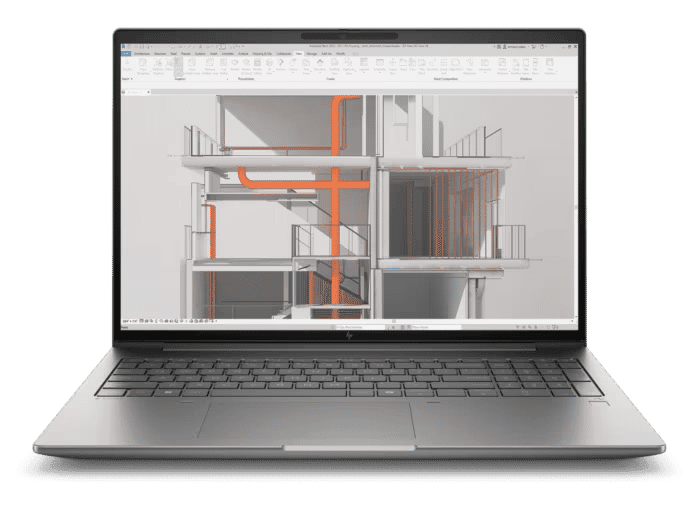
Machine-learning developer? Start with NVIDIA if CUDA matters to you, then scrutinise VRAM and system memory before anything else; in India, that means Legion Pro 7i Gen 10 or HP ZBook Studio class machines at the high end, and RTX 4050/4060 laptops under ₹1 lakh for getting started.
Want to run local LLMs? Start with the models, work backwards to memory, and only then pick the laptop. In that order.
Creator? Judge the whole workflow: display, media engines, RAM, storage and sustained performance, not just GPU speed.
Student? Value beats bragging rights. A balanced 32GB machine will serve you better than an expensive flagship you can't afford to upgrade.
Professional? Buy for the workload you run today and the one you realistically expect in a few years. Not the hypothetical maximum.
The bottom line
The best AI laptop in 2026 isn't the one with the biggest AI sticker. It's the one that gives your workload the right mix of compute, memory, software support, sustained performance and value.
That's why our recommendations start with the work and end with the exact configuration. There's a world of difference between "this is a powerful laptop" and "this is the right laptop for the thing I need to do", and the second answer is the only one worth paying for.
Our recommendation philosophy
We'll keep updating this guide as new laptops, GPUs and workloads arrive. The rule won't change, though, we won't recommend a laptop just because its specifications are impressive. We'll ask what it can actually do, who it makes sense for, which configuration you need, what it can't do, and whether the price holds up. Because when you're spending serious money, "best" should mean best for you, not best-looking on a spec sheet.
Next: If you already know your workload, jump straight to the guide for the complete AI/ML laptop guide, CUDA, cloud vs local training, premium workstations, or budget picks under ₹1 lakh.
Frequently Asked Questions
What is the most important specification for an AI laptop?
It depends on the workload. For serious GPU-based AI, GPU capability and VRAM are often critical. For local models, total usable memory can become a major constraint. For CUDA development, software compatibility is equally important.
Is an NPU enough for AI?
Not for every workload. NPUs are designed for efficient on-device AI tasks, and Microsoft's Copilot+ PC requirements use an NPU capable of 40+ TOPS. Serious GPU-heavy AI workloads can require much more GPU compute and memory.
Is 32GB RAM enough for an AI laptop?
For many development and moderate AI workloads, 32GB is a sensible starting point. Heavier local-model workloads can benefit from 64GB or more.
Is NVIDIA better than AMD for AI?
There isn't one universal answer. NVIDIA is particularly attractive when CUDA compatibility is important. AMD systems can be compelling for workloads that benefit from large memory configurations. The software you intend to use should determine the decision.
Is a MacBook Pro good for AI?
It can be, particularly for workloads that work well with Apple's unified-memory architecture and software ecosystem. Current M5 Max MacBook Pro configurations can be specified with up to 128GB unified memory.
How much VRAM do I need for local AI?
There isn't one number that works for every model. Model size, quantisation, context length and workload all matter. Start with the models you actually want to run and work backwards from their memory requirements.
Should I buy a gaming laptop for AI?
Sometimes. A gaming laptop with a capable NVIDIA GPU can be an excellent AI machine, particularly for CUDA, image generation and other GPU-heavy workloads. But check VRAM, GPU power, cooling and system RAM rather than buying based solely on the gaming branding.
Should I buy an AI laptop or use cloud GPUs?
If you frequently work locally, value privacy or need offline access, a capable laptop can make sense. If your workloads are occasional or require very large amounts of compute, cloud GPUs may be more economical. A hybrid setup can also be excellent.
Disclosure: We earn commissions from purchases made through our links at no additional cost to you. This supports our editorial independence.