Top Products
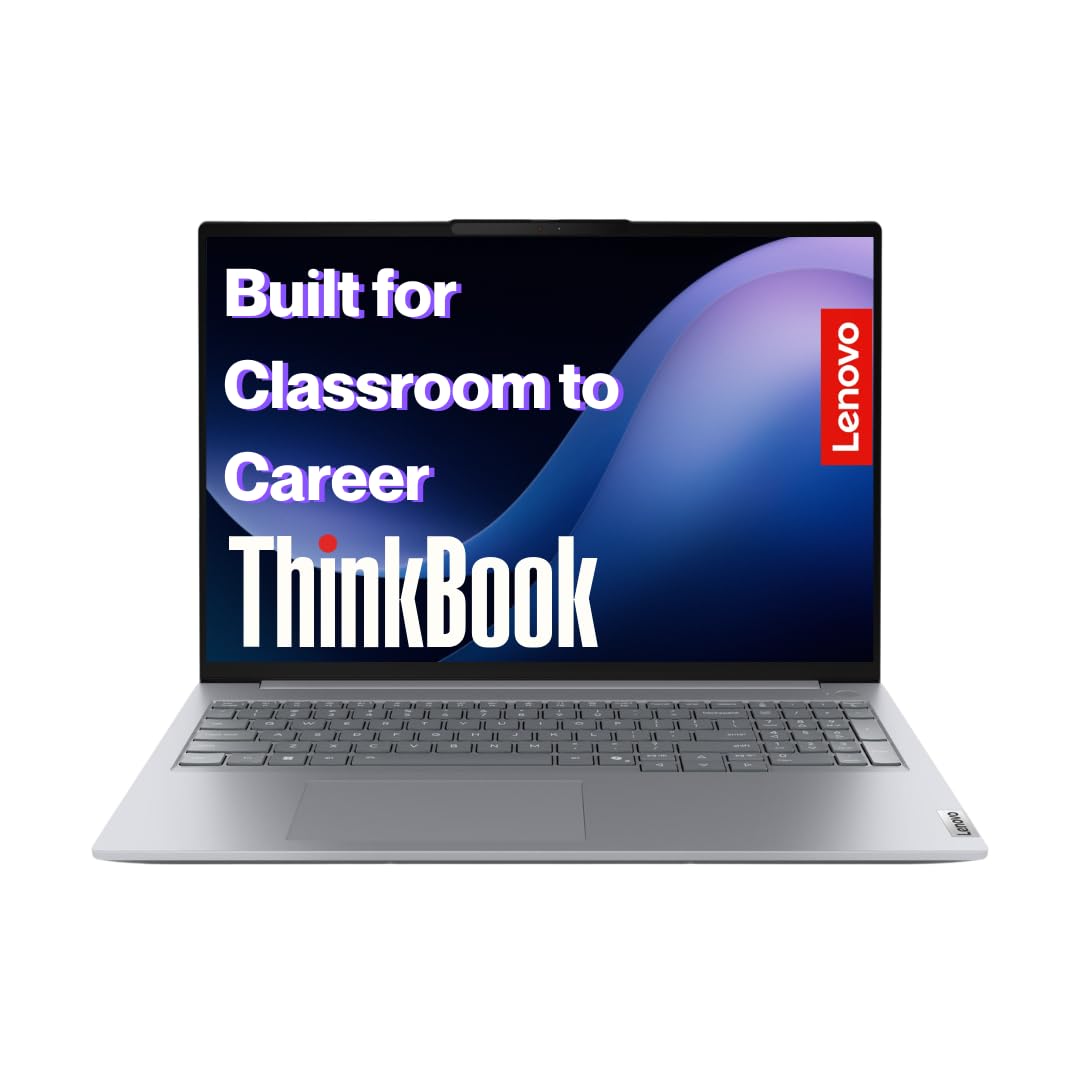
Best AI/ML Laptop Under ₹1 Lakh: Lenovo ThinkBook P16 (₹94,990)
The Lenovo ThinkBook P16 offers the best combination of Intel Core Ultra 9 with dedicated NPU, RAM upgradeable to 64GB, and excellent Linux compatibility—perfect for cloud-first ML workflows where you code locally and train on Vast.ai or Colab.
₹94,990 • 5.0★ (4 reviews)
Alternative Options Under ₹1 Lakh
⚠️ Limited Options in This Segment: The ₹75K-₹1 Lakh range for AI/ML laptops is challenging because most good CUDA-equipped laptops either fall under ₹75K (budget gaming) or exceed ₹1 Lakh (premium workstations). Consider these options:
Cloud-First Pick: Lenovo ThinkBook P16 (₹94,990)
NPU-equipped with 64GB RAM potential. Best for cloud workflows where you need powerful CPU and RAM but don't require local GPU training.
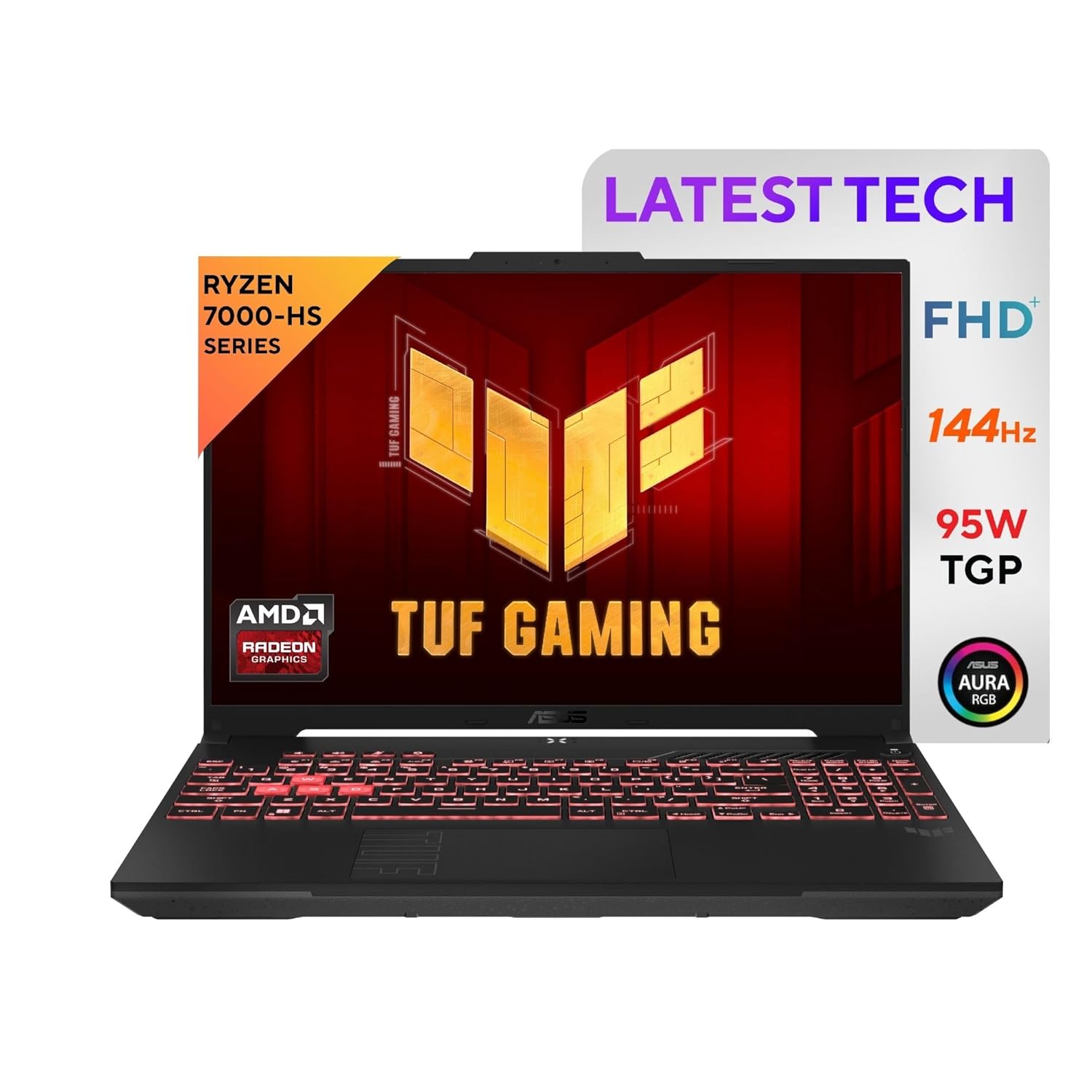
Not Recommended: ASUS TUF A16 (₹1,14,990)
AMD GPU lacks CUDA support. Poor value for AI/ML workloads at this price point. Better to save more or choose budget CUDA options.
💡 Better Strategy: If your budget is ₹75K-₹1 Lakh, pick a CUDA laptop from this guide and pair it with cloud platforms for training, or save more for premium AI/ML workstations above ₹1.5 Lakh that offer RTX 4060/4070 GPUs.
What ₹1 Lakh Actually Gets You in 2026
✓ What's Standard
- Intel Core Ultra 9 / Ryzen 7 — High-end processors
- 16GB DDR5 RAM — With 64GB upgradeability
- 512GB-1TB SSD — Faster storage options
- NPU or integrated GPU — AI acceleration basics
⚡ What's Premium Here
- 64GB RAM potential — Future-proofing heavy workloads
- Dedicated NPU — Intel's AI acceleration
- Lightweight designs — 1.7kg vs 2.4kg budget laptops
- Better build quality — Premium materials
✗ The ₹1 Lakh Gap Problem
- No RTX 4060 at this price — Limited GPU options
- AMD GPUs lack CUDA — TensorFlow issues
- Compromise zone — Between budget and premium
- Cloud still often better — Value proposition weak
Reality check: The ₹75K-₹1 Lakh range is the "awkward middle" for AI/ML laptops. You either get great budget CUDA laptops under ₹75K, or proper RTX 4060+ workstations above ₹1.5 Lakh. In this range, you're often paying premium prices for compromise specs—better to either save money or spend more for real value.
Smart Budget Strategy: ₹75K vs ₹1 Lakh vs ₹1.5 Lakh+
| Budget Range | Best For | GPU Options | Strategy |
|---|---|---|---|
| Under ₹75K | Students, learners on budget | RTX 4050 6GB (CUDA) ✅ | Best value zone — Get CUDA + cloud |
| ₹75K - ₹1 Lakh | Professionals needing portability | Integrated/NPU only ⚠️ | Avoid if possible — Compromise zone |
| ₹1.5 Lakh+ | Serious ML work, local training | RTX 4060/4070 8GB+ ✅ | Premium performance — Real workstations |
Recommendation: If your budget is exactly ₹1 Lakh, you're better off either (1) buying a CUDA laptop from our main guide + investing the difference in cloud computing credits, OR (2) saving ₹50K more for a proper RTX 4060 workstation that will serve you for years.
Available Options Under ₹1 Lakh
Best value AI laptop with Intel Core Ultra 9 185H, dedicated NPU for AI tasks, RAM upgradeable to 64GB, and excellent Linux support. Perfect for cloud-first ML workflows where you code locally and train on Vast.ai or Colab. The lightweight design (1.7kg) and NPU capabilities make this ideal for professionals who need portability and AI acceleration without requiring local GPU training.
Why we recommend it
- ✓ Intel Core Ultra 9 with NPU — Dedicated AI acceleration for edge cases
- ✓ Upgradeable to 64GB RAM — Future-proof for growing datasets
- ✓ Lightweight at 1.7kg — Best portability in AI/ML segment
- ✓ Excellent Linux support — Perfect for ML development environments
What we don't like
- ✗ No dedicated GPU — Can't train models locally (cloud required)
- ✗ 41Wh battery small — Not all-day battery despite lightweight design
- ✗ Display could be brighter — 300 nits adequate, not exceptional
- ✗ Price over budget guides — ₹94,990 pushes premium boundaries
Performance
CPU Benchmarks: Intel Core Ultra 9 185H is excellent for data preprocessing and compilation. Multi-core performance sufficient for most ML development tasks except heavy local training.
NPU Performance: Dedicated NPU handles edge AI inference tasks. Good for deploying lightweight models locally, but not a replacement for GPU training.
Real-world ML tasks: Excellent for development, data preprocessing, and model experimentation. Requires cloud platforms (Colab, Vast.ai) for actual training but shines in coding and testing workflows.
Cloud Integration: Designed for cloud-first workflows. Fast CPU and high RAM capacity (64GB) make it perfect for data preprocessing before cloud training jobs.
Display
16" WUXGA (1920×1200) IPS, 300 nits. Good color accuracy for data visualization. 16:10 aspect ratio provides more vertical space for coding. Brightness adequate for indoor use.
Battery
41Wh battery is disappointing for the size—lasts 5-6 hours for light work, less under load. 65W USB-C charging is convenient but capacity should be higher.
Build
Professional business aesthetic at 1.7kg—much lighter than gaming laptops. Premium feel with good build quality. Excellent for professionals who need ML capabilities in business settings.
Price Verdict
- 🟢 Buy at ₹90,000-95,000 — Best NPU-equipped option with 64GB RAM potential. Ideal for cloud-first professionals who need portability and AI acceleration.
- 🟡 Consider at ₹96,000-1.05 Lakh — Only if you need the specific NPU + Linux combination. Otherwise, consider saving more for RTX 4060 options.
- 🔴 Skip above ₹1.1 Lakh — At this price, you should get dedicated GPU options. Overpriced for integrated graphics at higher price points.
Who should NOT buy this
Avoid if you need local GPU training, require all-day battery life, or if your primary use is gaming. If budget allows, consider RTX 4060 workstations for serious local training.
What owners complain about
Owners appreciate the lightweight design and NPU capabilities but complain about the small 41Wh battery not matching the professional positioning. Some report the display brightness being adequate but not exceptional for the price. Linux users praise the compatibility and driver support. Overall, satisfaction is high among cloud-first developers who don't require local GPU training.
Check current price: ₹94,990 | Last checked: August 2026
Why Not Recommended: This laptop costs ₹1,14,990 (over budget) and has an AMD Radeon RX 7600S GPU which lacks CUDA support. This means PyTorch and TensorFlow won't work properly for local training. You're paying premium prices for a GPU that can't run standard ML frameworks. Better to either save money with budget CUDA options or spend more for proper NVIDIA GPUs.
Strong contender with 90Wh battery, Ryzen 7 7435HS, AMD RX 7600S 8GB GPU, and upgradeable RAM to 32GB. However, the AMD GPU lacks CUDA support making this better for cloud-first workflows or non-CUDA ML frameworks. Frequently out of stock and poor value for AI/ML workloads at this price point.
Few Positives
- ✓ 90Wh battery — Excellent endurance
- ✓ Good thermal management — 84-blade Arc Flow Fans
- ✓ Linux compatible — Verified by users
Major Deal-Breakers
- ✗ AMD GPU = No CUDA — PyTorch/TensorFlow issues
- ✗ ₹1,14,990 price — Way over ₹1 Lakh budget
- ✗ Only 16GB RAM — 32GB recommended at this price
- ✗ Out of stock frequently — Availability issues
Price Verdict
- 🔴 Skip at any price — AMD GPU lacks CUDA support critical for AI/ML
- 🟡 Consider only under ₹80K — If discounted heavily, might work for cloud-only workflows
- 🔴 Skip above ₹90,000 — Completely wrong choice for AI/ML at premium prices
What owners complain about
Owners who bought this for AI/ML work frequently complain about CUDA compatibility issues with PyTorch and TensorFlow. Many didn't realize AMD GPUs don't support these frameworks until after purchase. Positive comments focus on battery life and build quality, but for AI/ML specifically, this is the wrong choice at any price near ₹1 Lakh.
Check current price: ₹1,14,990 | Last checked: August 2026 • Not Recommended for AI/ML
Frequently Asked Questions
Why are there so few options under ₹1 Lakh for AI/ML?
The ₹75K-₹1 Lakh range is an "awkward middle" for AI/ML laptops. Good CUDA-equipped laptops (RTX 4050) are available under ₹75K, while proper RTX 4060+ workstations start above ₹1.5 Lakh. In this range, you mostly get either integrated graphics with NPUs (cloud-dependent) or AMD GPUs without CUDA support (framework incompatible). It's better to either save money or spend more for real value.
Should I buy the Lenovo ThinkBook P16 for AI/ML work?
The ThinkBook P16 is excellent if you're cloud-first. It has a powerful CPU, 64GB RAM potential, and NPU for edge AI tasks. However, it lacks a dedicated GPU so you'll need to use Colab, Vast.ai, or similar for training. If you need local GPU training, this isn't the right choice—consider saving more for RTX 4060 options or spending less on budget CUDA laptops.
Is the ASUS TUF A16 good for machine learning?
No. The AMD Radeon RX 7600S GPU lacks CUDA support, which means PyTorch and TensorFlow won't work properly for local training. At ₹1,14,990, you're paying premium prices for a GPU that can't run standard ML frameworks. You're better off with budget NVIDIA options under ₹75K or saving more for proper RTX 4060 workstations.
What's the best strategy for ₹1 Lakh budget?
If your budget is exactly ₹1 Lakh, consider two strategies: (1) Buy a CUDA laptop from our main AI/ML guide and pair it with cloud computing credits for a year, or (2) Save ₹50K more for a proper RTX 4060 workstation above ₹1.5 Lakh that will serve you for years. The ₹1 Lakh range offers poor value for AI/ML specifically.
What is NPU and do I need it for AI/ML?
NPU (Neural Processing Unit) is specialized hardware for AI inference tasks like image recognition, background blur, or lightweight edge AI. It's not a replacement for GPU training. NPUs are useful for deploying lightweight models locally but don't help with training large neural networks. For learning AI/ML, CUDA GPU support is far more important than NPU capabilities. See our CUDA vs NPU guide for details.
Should I wait for better options in this price range?
The laptop market doesn't change rapidly enough that waiting makes sense for AI/ML specifically. The fundamental issue is that GPU pricing creates natural segments: budget (RTX 4050 under ₹75K) and premium (RTX 4060+ above ₹1.5 Lakh). This structural gap won't change quickly. Better to make a decision now: either go budget CUDA + cloud or save for premium workstations.
Related Guides
💎 Real AI/ML Workstations
RTX 4060/4070 options for serious local training above ₹1.5 Lakh.
Premium Guide →☁️ Cloud vs Local Decision
Decide if cloud platforms make more sense than buying expensive hardware.
Cloud vs Local →🤔 Confused About Your Budget? Follow This Path:
Last Checked: August 24, 2026
The ₹1 Lakh segment for AI/ML laptops is challenging with limited good options. We verify pricing, availability, and CUDA compatibility specifically for machine learning workloads. This guide is updated monthly or when significant changes occur in this price segment.
⚠️ Segment Warning: The ₹75K-₹1 Lakh range has poor value for AI/ML specifically. We recommend either budget CUDA options under ₹75K or premium workstations above ₹1.5 Lakh for serious work. This guide exists for completeness but we strongly recommend considering adjacent budget segments.
Make the Right Choice for Your AI/ML Journey
The ₹1 Lakh budget is challenging for AI/ML laptops. Consider either a CUDA laptop from our main guide combined with cloud platforms, or save more for premium workstations with RTX 4060 GPUs. Don't get stuck in the compromise zone.
Updated August 2026 • Honest assessment of ₹1 Lakh AI/ML segment • See all AI/ML guides
Frequently Asked Questions
Why are there so few options under ₹1 Lakh for AI/ML?
The ₹75K-₹1 Lakh range is an "awkward middle" for AI/ML laptops. Good CUDA-equipped laptops (RTX 4050) are available under ₹75K, while proper RTX 4060+ workstations start above ₹1.5 Lakh. In this range, you mostly get either integrated graphics with NPUs (cloud-dependent) or AMD GPUs without CUDA support (framework incompatible).
Should I buy the Lenovo ThinkBook P16 for AI/ML work?
The ThinkBook P16 is excellent if you're cloud-first. It has a powerful CPU, 64GB RAM potential, and NPU for edge AI tasks. However, it lacks a dedicated GPU so you'll need to use Colab, Vast.ai, or similar for training. If you need local GPU training, this isn't the right choice.
Is the ASUS TUF A16 good for machine learning?
No. The AMD Radeon RX 7600S GPU lacks CUDA support, which means PyTorch and TensorFlow won't work properly for local training. At ₹1,14,990, you're paying premium prices for a GPU that can't run standard ML frameworks.
What's the best strategy for ₹1 Lakh budget?
If your budget is exactly ₹1 Lakh, consider two strategies: (1) Buy a budget CUDA laptop under ₹75K and invest ₹25K in cloud computing credits for a year, or (2) Save ₹50K more for a proper RTX 4060 workstation above ₹1.5 Lakh. The ₹1 Lakh range offers poor value for AI/ML specifically.
Disclosure: We earn commissions from purchases made through our links at no additional cost to you. This supports our editorial independence.